
Staying safe online does not have to be complicated, but it does require a few smart habits. Every time you log in, shop, send money, share personal details, or download an app, you are trusting the internet with something valuable. By paying attention to passwords, links, privacy, payments, and device security, you can greatly reduce the risk of scams, hacking, identity theft, and financial loss.
Start With Strong, Unique Passwords Everywhere
A strong password is one of the simplest ways to protect your online accounts. Avoid using easy details like your name, birthday, phone number, or “123456.” Instead, create long passwords with a mix of letters, numbers, and symbols, or use a passphrase that is easy for you to remember but hard for others to guess. Most importantly, use a different password for every account, especially for email, banking, shopping, and social media. A password manager can help you store them safely without needing to memorize them all.
Use Two-Factor Authentication on Key Accounts
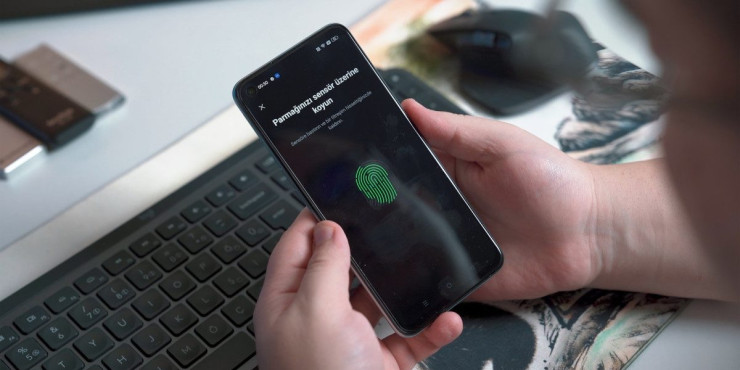
Two-factor authentication, often called 2FA, adds an extra layer of protection beyond your password. Even if someone discovers your password, they still need a second code or approval from your phone, email, or authentication app to access your account. Turn on 2FA for important accounts such as email, banking, payment apps, cloud storage, and social media. Authentication apps are usually safer than SMS codes, but any form of 2FA is better than having only a password.
Check Website Links Before Sharing Any Details
Before typing your username, password, card number, or personal information into a website, take a moment to check the link carefully. Scammers often create fake websites that look almost identical to real ones, using small spelling changes or strange domain names. Look for “https://” and a padlock icon, but do not rely on those alone because fake sites can sometimes have them too. If you are unsure, type the website address directly into your browser instead of clicking a link from a message or ad.
Keep Personal Details Private and Hard to Guess
Your personal information can be used to guess passwords, answer security questions, or impersonate you online. Be careful about sharing your full birthdate, address, school, workplace, family details, travel plans, or financial information on social media or public websites. Even fun quizzes and viral posts can collect clues about you. Keep your privacy settings updated and think twice before posting anything that could help someone pretend to be you or access your accounts.
Shop and Bank Only on Secure Trusted Websites
When shopping or banking online, use only trusted websites and official apps. Check reviews, verify the company’s contact details, and avoid deals that look too good to be true. For banking, always use the official bank website or app rather than links sent through messages. When shopping, choose secure payment methods that offer buyer protection, and avoid sending money directly to unknown sellers. A little caution before paying can prevent a lot of trouble later.
Avoid Public Wi-Fi for Payments and Banking
Public Wi-Fi in places like cafés, airports, hotels, and malls can be convenient, but it is not always secure. Other people on the same network may be able to intercept information if the connection is unsafe. Avoid logging into bank accounts, making payments, or entering sensitive personal details while using public Wi-Fi. If you must use it, consider using a trusted VPN and avoid saving passwords or payment details on shared or public devices.
Update Devices and Apps to Close Security Gaps
Software updates may seem annoying, but they often fix security weaknesses that hackers can use. Keep your phone, computer, browser, apps, antivirus tools, and operating system updated. Turn on automatic updates when possible so you do not miss important fixes. Also remove apps and browser extensions you no longer use, because outdated or unnecessary software can become a security risk over time.
Spot Phishing Messages Before You Click Them
Phishing messages are fake emails, texts, or social media messages designed to trick you into clicking a link, downloading a file, or sharing private information. They may pretend to be from your bank, delivery company, employer, friend, or a popular service. Watch for warning signs such as urgent threats, spelling mistakes, unexpected attachments, requests for passwords, or messages saying you won a prize. When in doubt, contact the company directly through its official website or phone number instead of replying or clicking.
Review App Permissions Before You Install
Apps often ask for access to your camera, microphone, location, contacts, photos, or files, but not every app truly needs that access. Before installing an app, check who made it, read reviews, and download it only from official app stores. After installing, review its permissions and turn off anything unnecessary. For example, a calculator app should not need your contacts or location. Limiting permissions helps protect your privacy and reduces the amount of data that can be misused.
Protect Financial Transactions With Extra Care
Financial transactions deserve extra attention because mistakes can lead to real money loss. Before sending money, confirm the recipient’s name, account details, amount, and purpose. Be suspicious of urgent requests for payment, especially from strangers or even from friends whose accounts may have been hacked. Use alerts for bank and card transactions so you can quickly spot anything unusual. If possible, use credit cards or secure payment platforms for online purchases because they often provide better fraud protection.
Back Up Important Files Before Trouble Strikes
Online safety is not only about preventing hackers; it is also about being prepared if something goes wrong. Ransomware, device damage, theft, accidental deletion, or account lockouts can make you lose important files. Back up photos, documents, work files, and other valuable data regularly. Use a combination of cloud storage and an external drive if possible. A good backup can save you from panic and help you recover quickly after an online or device-related problem.
Know What to Do If an Account Gets Hacked
If you think an account has been hacked, act quickly. Change the password immediately, log out of all devices if the service allows it, and turn on two-factor authentication. Check account recovery details, such as email addresses and phone numbers, to make sure the hacker did not change them. Review recent activity, remove unknown devices, and warn your contacts not to trust suspicious messages from your account. If money is involved, contact your bank or payment provider right away and report the issue to the platform.
Online safety is built through small, consistent choices. Strong passwords, careful clicking, secure payments, privacy awareness, regular updates, and quick action during emergencies can protect your personal details and financial information. The internet is useful and enjoyable, but it works best when you stay alert, question anything suspicious, and treat your digital security as seriously as your real-world safety.